
Drag and Drop PDF Attachments
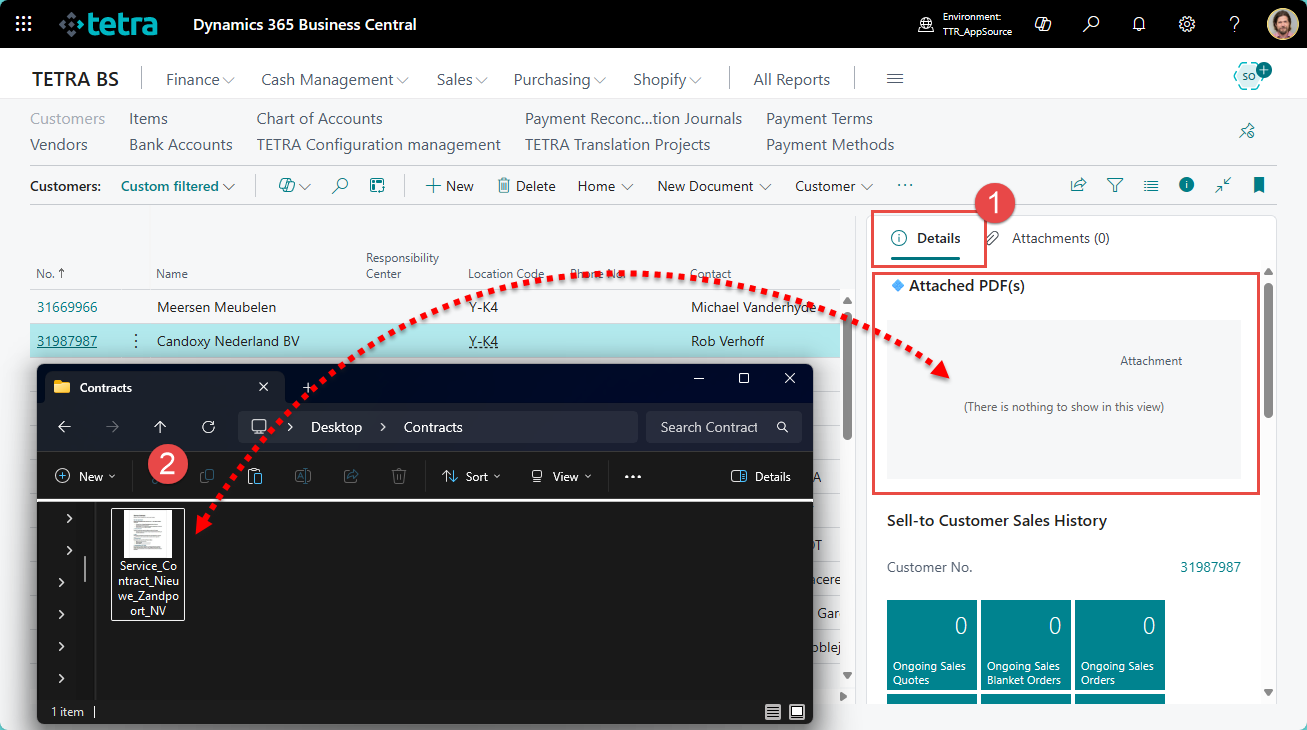
- Open a page in Business Central where the PDF Viewer is available.
- Select the Details tab to be active on the information Fact Box
- Drag and drop a PDF file to the Attached PDF(s) area
Upload PDF files using the Attachment tab
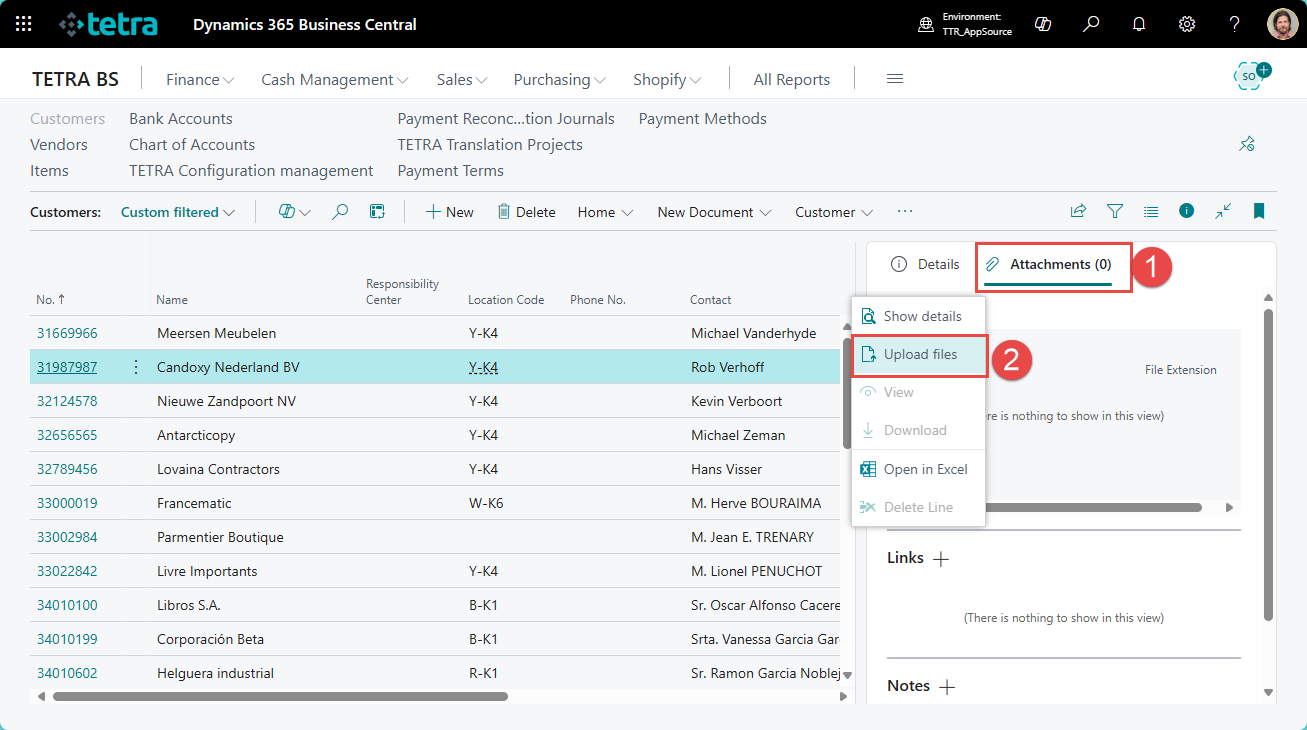
- Open a page in Business Central where the PDF Viewer is available.
- Select the Attachment tab to be active on the information Fact Box
- Use the Upload files action
View attached PDF document instantly
- Set the Details tab to be active on the Information Fact Box
- Preview of attached PDF is automatically loaded
- One click on the preview will show the document in full screen
- Use the < > controls to browse between pages

We are proud to work with them


 2089 Telki, Öreghegyi út 31/A Hungary
 +36 30 502 0648