
Electronic Invoicing and Digital Signing from Microsoft Dynamics 365 Business Central
The TETRA e-Invoice Connector integrates Microsoft Dynamics 365 Business Central with an external e-invoicing and digital signing service. The solution allows users to manage electronic invoices and digitally signed documents directly from familiar Business Central workflows.
Invoices and other supported documents can be submitted to the external service directly from Business Central, while processing and signing statuses can be monitored within the ERP system.
Electronic Invoicing from Business Central
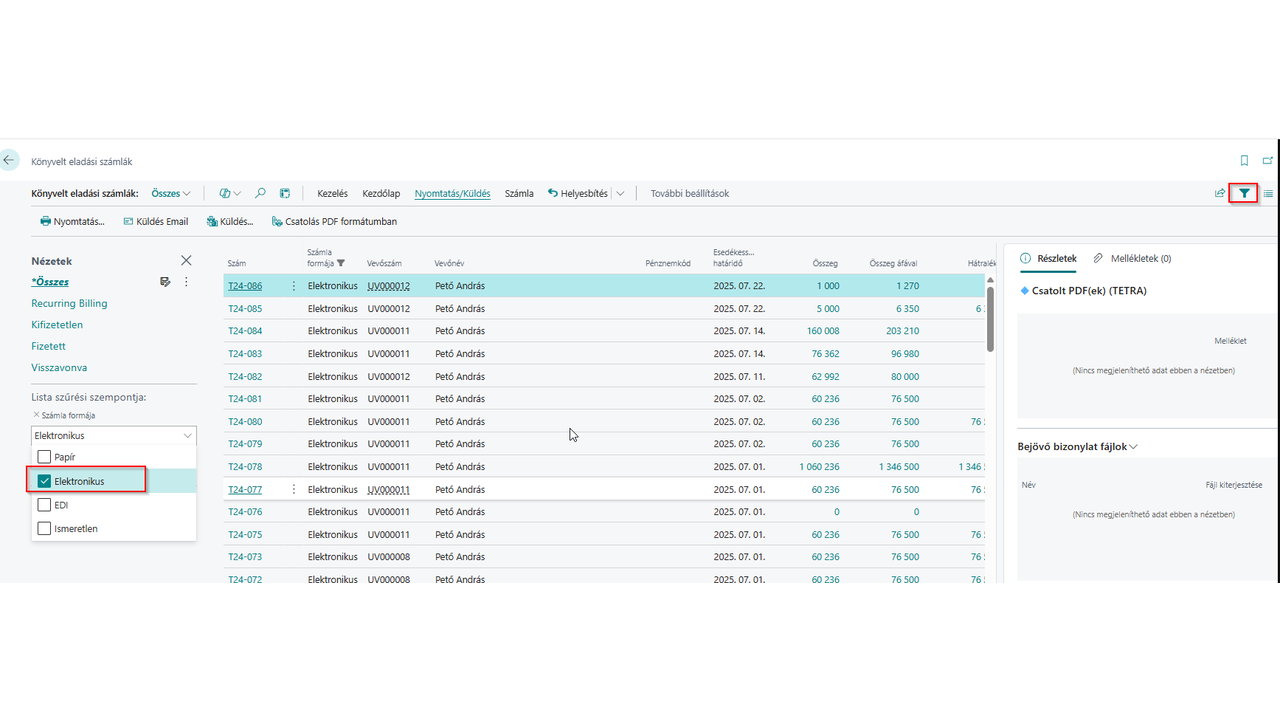
The connector extends the standard Business Central invoicing process with electronic invoice handling. Users can identify and manage electronic invoices directly from the posted sales invoice list and submit supported documents to the connected external e-invoicing service.
This keeps the invoicing workflow inside Business Central and reduces the need for manual document exports and separate administration.
Electronic Invoicing Features
- Electronic invoice handling directly from Business Central
- Support for sales invoices and sales credit memos
- Integration with an external e-invoicing service
- Submit supported documents without manually exporting and uploading PDF files
- Manage electronic invoicing as part of the existing Business Central workflow
Integration with the External e-Invoicing Service
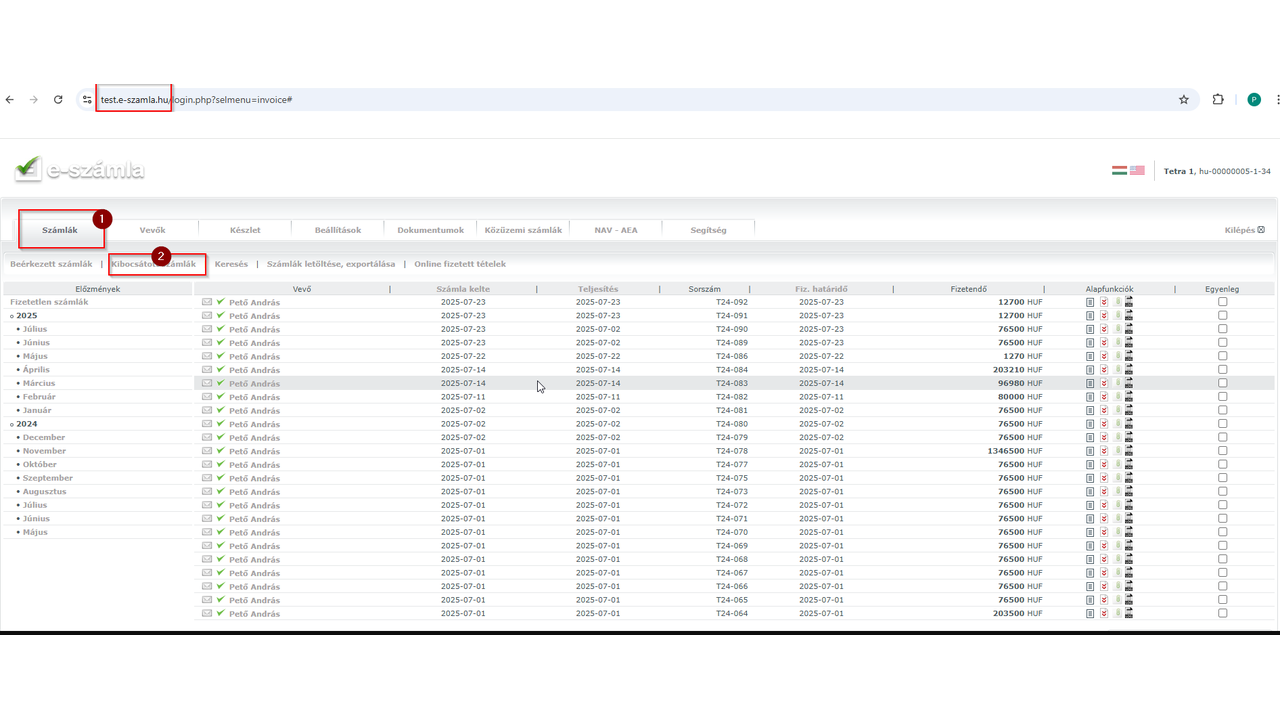
Documents submitted from Business Central are transferred to the connected external service for electronic invoice processing. Users can continue to use the service provider's portal when required, while the integration automates the transfer of supported documents from Business Central.
Digital Document Signing
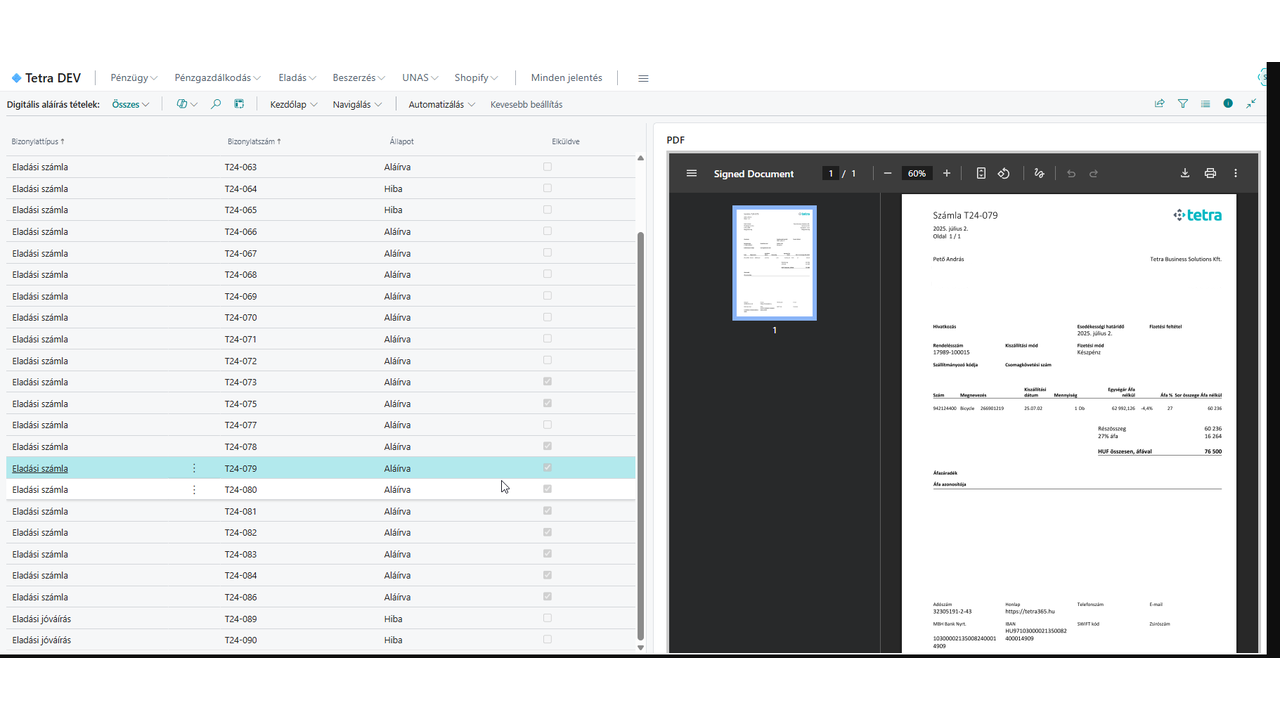
The connector also integrates Business Central with an external digital signing service. Documents can be submitted for digital signing directly from Business Central, and the status of the signing process can be monitored from within the system.
Once the signing process has been completed by the external service, the digitally signed PDF can be viewed and downloaded from Business Central.
Supported Document Workflows
- Submit invoices and credit memos for digital signing
- Submit delivery notes and other supported Business Central documents
- Monitor document signing status directly in Business Central
- View digitally signed PDF documents without leaving Business Central
- Download the completed digitally signed PDF
Sign Any PDF Document
The integration is not limited to documents generated by Business Central. External PDF documents can also be submitted from Business Central to the connected digital signing service.
After the external service completes the signing process, the digitally signed PDF can be retrieved and downloaded through Business Central. This makes it possible to use the same integrated workflow for delivery notes and other PDF-based business documents.
Key Benefits
- Electronic invoicing integrated with Microsoft Dynamics 365 Business Central
- Digital signing integrated into existing Business Central workflows
- Less manual exporting, uploading and downloading of documents
- Centralized visibility of document processing and signing statuses
- Access to completed digitally signed PDF documents from Business Central
- Support for invoices, credit memos, delivery notes and other PDF documents
- A more efficient and paperless document workflow
Built for Microsoft Dynamics 365 Business Central
The TETRA e-Invoice Connector is designed specifically for Microsoft Dynamics 365 Business Central. It connects Business Central processes with external electronic invoicing and digital signing services while allowing users to continue working in the familiar Business Central environment.
Interested in the TETRA e-Invoice Connector?
Contact TETRA Business Solutions to learn more about the solution, implementation options and support.
We are proud to work with them


 2089 Telki, Öreghegyi út 31/A Hungary
 +36 30 502 0648