
Deactivating licenses for Tetra Stripe Connector is a straightforward process. Here are the key steps:
In Business Central, choose the Search icon 🔎 in the top-right corner, enter Stripe Setup, and then choose the related link.
Use the Subscription function from the Actions menu.
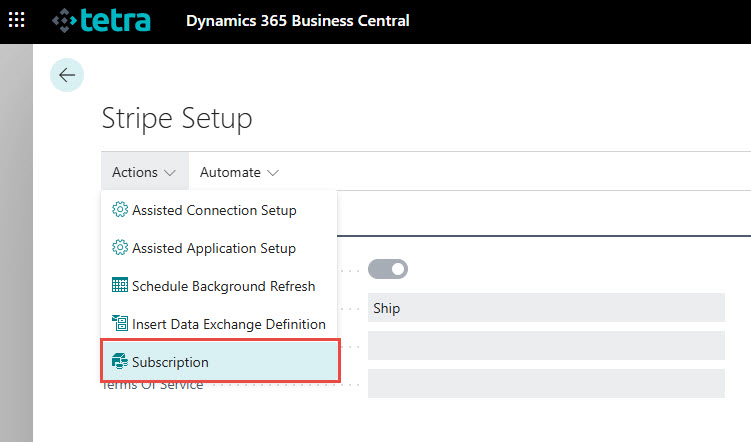
The Extension Licenses page appears and you can select the plan to be cancelled and use the Deactivate action for cancellation.

Please note: if you deactivate a subscription then it will be active and usable till the end of the payed period.

We are proud to work with them


 2089 Telki, Öreghegyi út 31/A Hungary
 +36 30 502 0648