
To import Stripe payout details as statements, follow these steps:
In Business Central, choose the Search icon 🔎 in the top-right corner, enter Payment Reconciliation Journals, and then choose the related link.
Select Process > Import Bank Transactions, select the required bank account, and then select the OK button.
Select Choose to import the *.CSV file that contains the electronic bank statement, specify the file name and path and then select the Open button.
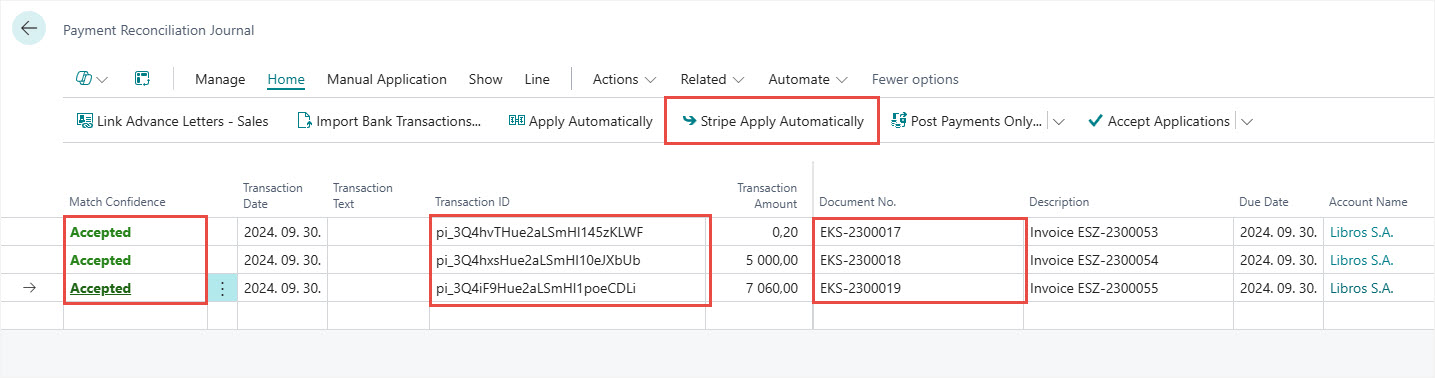
The electronic bank statement is imported into the payment reconciliation journal, then click on the Stripe Apply Automatically action for automatic reconciliation. When all lines are accepted then use the Post Payments and Reconcile Bank Account action.
To import and post Stripe fees use the same Payment Reconciliation Journal function with using the bank account set up for Stripe fees.
We are proud to work with them


 2089 Telki, Öreghegyi út 31/A Hungary
 +36 30 502 0648