
In Business Central, choose the Search icon 🔎 in the top-right corner, enter Job Queue Entries, and then choose the related link.
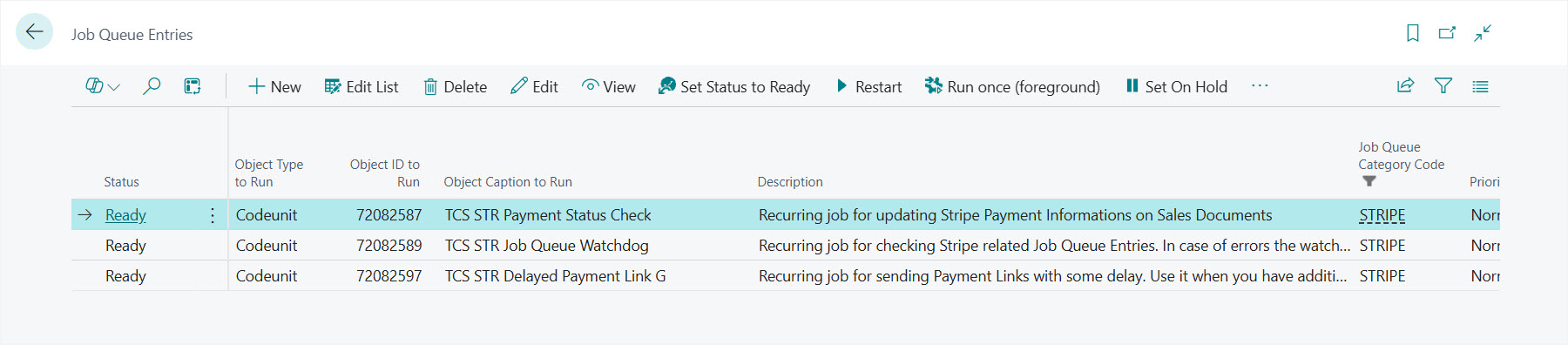
The TETRA Stripe Connector comes with three Job Queue Entries:
- TCS STR Payment Status Check: Recurring job for updating Stripe Payment Information on Sales Documents
- TCS STR Job Queue Watchdog: Recurring job for checking Stripe related Job Queue Entries. In case of errors the watchdog sends notifications and restarts the Job Queues with error.
- TCS STR Delayed Payment Link G: Recurring job for sending Payment Links with some delay. Use it when you have additional validations after a Sales Document is released and the final amount is available a bit later.
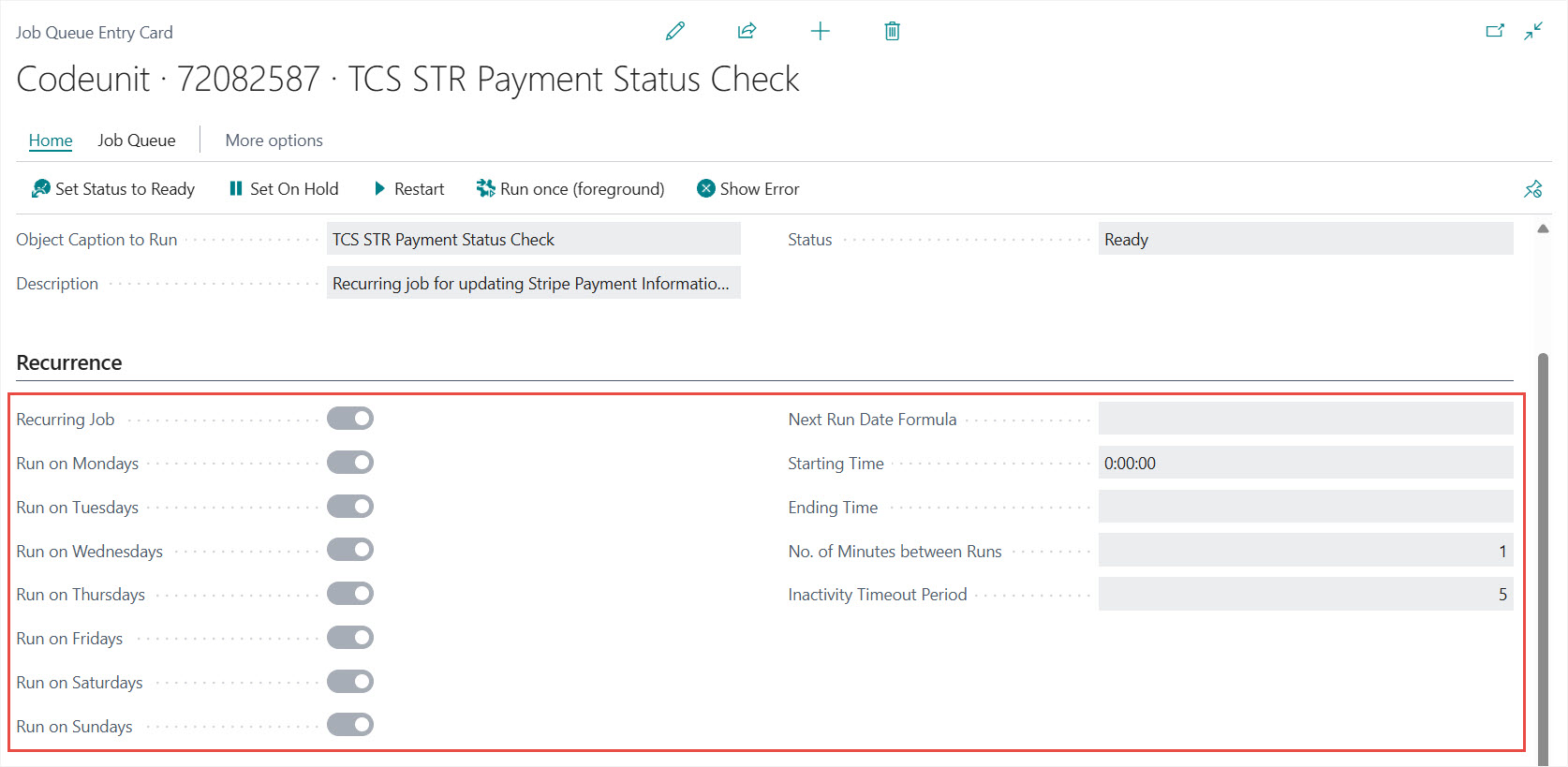
You can edit the default timings under the Recurrence FastTab:
We are proud to work with them


 2089 Telki, Öreghegyi út 31/A Hungary
 +36 30 502 0648